


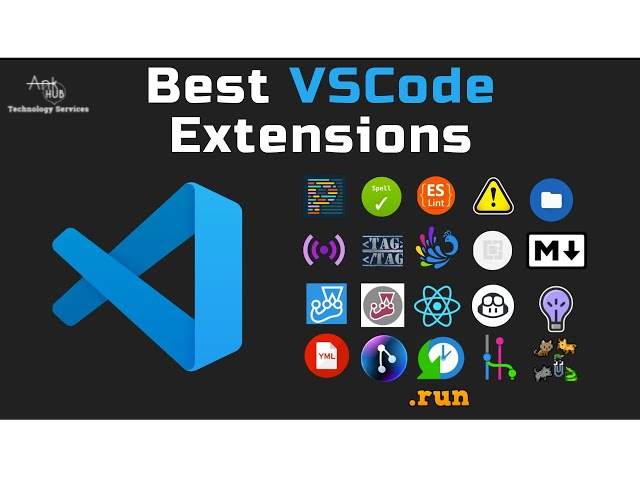
Visual Studio Code—popularly known as VS Code—has become the go-to code editor for developers worldwide. Its speed, customization options, and massive extension marketplace make it one of the most powerful tools for development productivity.
However, with thousands of extensions available, it can be overwhelming to know which ones truly improve your workflow.
Stop wasting time searching the marketplace. This is your curated list of the best VS Code extensions for fast web development 2025, focusing on tools that boost speed, quality, and efficiency. We’ve broken down the list into key categories—from AI assistance to essential quality checks—to ensure your workspace is optimized for the year ahead.
1. TabNine (AI Autocomplete)
- Feature Focus: Generative AI that predicts entire lines and blocks of code.
- Relevance: The fastest way to write code in 2025.
- 💡 Why You’ll Love It: It drastically reduces repetitive typing and speeds up development.
2. ES7+ React/Redux/GraphQL Snippets
- Feature Focus: Instant boilerplate generation (e.g., rafce or rfc).
- Relevance: Critical for fast web development in the React/frontend ecosystem.
- 💡 Why You Need It: Spend more time building features and less time writing repetitive boilerplate.
3. Prettier – Code Formatter
- Feature Focus: Auto-formats on save, ensuring consistent style across teams. Supports JS, TS, HTML, CSS, JSON, YAML, etc.
- Relevance: Directly contributes to faster coding by eliminating code style debates.
- 💡 Why Developers Love It: It removes the need to debate code style and keeps your codebase clean and readable.
4. Code Spell Checker
- Feature Focus: Detects spelling errors and understands programming naming formats.
- Relevance: Prevents confusion or bugs caused by mistakes in variable names or comments.5. Live Server
- Feature Focus: One-click launch of a local dev server with real-time browser refresh.
- Relevance: Eliminates manual browser refreshing—a massive time-saver for web developers.
- 💡 Best Use Case: Build responsive static webpages faster without manually refreshing your browser.
6. Docker Extension
- Feature Focus: Integrated container management, logging, and troubleshooting. Manage containers, images, and networks.
- Relevance: Essential for modern full-stack and microservices development workflows.
7. IntelliSense for CSS Class Names
- Feature Focus: Autocomplete for all classes defined in your stylesheets (Supports Tailwind, Bootstrap, SCSS, etc.).
- Relevance: Prevents file-switching and reduces layout development time.
- 💡 Why Developers Prefer It: It eliminates switching between files and boosts layout development speed.
8. Path Intellisense
- Feature Focus: Autocompletes file and folder names in import statements.
- Relevance: Minimizes broken import errors, especially in large projects.
9. Tailwind CSS IntelliSense (Bonus)
- Feature Focus: Dedicated syntax highlighting and class completion for Tailwind classes.
- Relevance: Accelerates utility-first UI development dramatically.
10. GitLens — Git Supercharged
- Feature Focus: Shows line-by-line authorship (blame), commit history, and powerful diff viewing.
- Relevance: Essential for team collaboration and debugging complex version control issues.
- 💡 Why It’s Essential: It improves team collaboration and helps diagnose issues by tracing code authorship.
11. Material Icon Theme
- Feature Focus: Visually distinct file and folder icons.
- Relevance: Enhances visual navigation, leading to a small but noticeable speed increase.
- 💡 Why Install It: Better visual structure → faster navigation → improved productivity.
Final Verdict: Building the Fastest VS Code Setup in 2025
VS Code becomes incredibly powerful with the right extensions. By incorporating these tools—from AI code generation to essential quality checks—you’ll experience a noticeable boost in speed and efficiency throughout 2025 and beyond.
These best VS Code extensions for fast web development 2025 help you:
- Write cleaner, maintainable code
- Avoid repetitive tasks
- Debug faster and smarter
- Improve team collaboration
- Enhance your coding environment
Frequently Asked Questions (FAQs)
1. Are VS Code extensions free?
Most VS Code extensions are completely free. Some advanced ones (like TabNine Pro) offer paid upgrades.
2. Will installing too many extensions slow down VS Code?
Yes, too many background-running extensions can affect performance. Tip: Disable unused extensions per workspace.
3. What are the essential VS Code extensions for beginners?
The must-have tools include: Prettier, Live Server, GitLens, and Material Icon Theme.
4. What is the best extension for React developers?
The ES7+ React/Redux Snippets extension is the top choice for React and Next.js developers.
5. What extension improves coding speed the most?
AI tools like TabNine and GitHub Copilot significantly accelerate coding by predicting lines or blocks of code.
6. How do I install extensions in VS Code?
Open VS Code, press Ctrl + Shift + X, search for an extension, and click Install.
7. Can I use VS Code extensions offline?
Yes. Once installed, most extensions work offline unless they require cloud-based AI features.